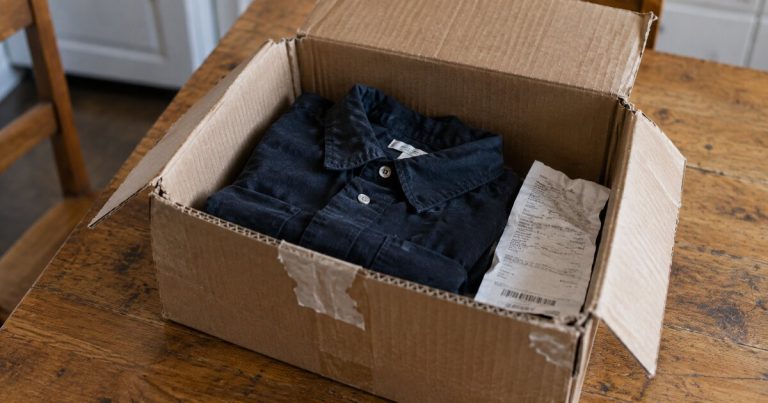
Your receipt says groceries, the store looks like a supermarket, and the bonus still did not appear. Before assuming the bank made a mistake, find out whether the problem is the merchant category, the card’s rules or the timing of the reward.
MCC 5411 is the merchant category code for grocery stores and supermarkets in Visa’s classification. It describes a merchant’s business type. It does not, on its own, guarantee a grocery bonus on your card.
The code identifies the merchant, not your shopping list
The Visa Merchant Data Standards Manual describes 5411 as covering merchants with a full line of food for home consumption. The same manual distinguishes other food-related merchant categories. A specialty shop or another retailer selling food is not automatically a 5411 supermarket.
For rewards, the issuer applies its program rules to the transaction information it receives. Chase explains that a merchant or processor assigns codes under network procedures, and Chase groups codes into rewards categories. A familiar store name or a food-only receipt cannot settle all of those steps.
Five checks before you contact the issuer
1. Make sure the reward is actually missing
Wait until the charge and relevant rewards are finalized. A pending authorization can change, and some reward displays show the base earning and category bonus separately. Look at the transaction’s rewards detail and the applicable posting schedule, not just a home-screen points total.
2. Read the exact category and exclusions
Grocery stores, U.S. supermarkets and online groceries are not interchangeable labels. Read the rule attached to your card or promotion. A merchant explicitly excluded by the program does not become eligible simply because another website associates it with 5411.
3. Check activation and the remaining cap
A correctly categorized purchase may earn only the base rate after a spending cap is used, or fail to earn a promotional rate if required activation is missing. Separate the purchase’s classification from your account’s remaining bonus allowance.
4. Identify the payment route
Compare the store, checkout channel and posted merchant description. A separate concession, delivery platform or third-party checkout may submit different information. This does not mean every digital wallet fails; the question is what data reached the issuer for this charge.
5. Ask about the specific posted transaction
Have the date, amount, merchant name and receipt ready. Ask: “Which merchant category and rewards rule were applied to this transaction, and why did it earn the base rate?” Amex’s retail guidance directs cardmembers with reward questions to the number on the card. Keep the case number if the issuer opens an investigation.
Calculate the discrepancy before opening a case
Hypothetical example: a $120 eligible purchase should earn 3% under your card’s rules, but the finalized detail shows 1%. Assume the cap is available, any activation is complete and no separate bonus entry exists. Expected rewards are $3.60; recorded rewards are $1.20; the difference is $2.40.
Ask about the missing $2.40 only after the five checks above establish the expected rate. Save the purchase date, merchant, $120 amount and both reward figures in the same record.
Avoid fixes that cost more than the bonus
Do not reroute a normal grocery order through a more expensive service just because someone reports better coding there. In the example above, paying an extra $5 to recover $2.40 leaves you $2.60 worse off. Include delivery charges, markups and the value of any convenience you actually want.
If the classification is valid under the program, use an accepted card with a suitable base rate for future purchases, or accept the lower reward. If evidence indicates an error, keep the case number and check the eventual adjustment. Do not keep making test purchases after the answer is clear.
For the store exclusions themselves, see our grocery category guide. Use this checklist when an actual transaction fails to match the rule you expected.